
Accounts Receivable in Medical Billing: A/R Follow-Up, Aging Reports, and A/R Days
Why A/R Is an Execution Problem (Not a Spreadsheet)
Accounts receivable (A/R) in medical billing is not a spreadsheet problem.
It’s an execution problem.
Most practices don’t lose money because they don’t understand A/R.
They lose money because A/R follow-up is unfocused, reactive, and disconnected from claim status reality.
Staff stay busy. Calls get logged. Notes pile up.
Cash still doesn’t move.
This guide explains what A/R really is, how aging reports and A/R days should be used, and how to run A/R follow-up like a controlled collections operation, not a guessing game.
Evidence Snapshot (What’s Not Opinion)
- HFMA MAP Keys provide standardized definitions for revenue cycle KPIs, including A/R days, to support consistent tracking and benchmarking.
- CAQH CORE Claim Status Operating Rules define how providers request electronic claim status and how payers respond using standardized processes.
- CAQH CORE’s Claim Status (276/277) Infrastructure Rule specifies real-time responses (≈20 seconds) and availability targets (≈86%) for CORE-certified entities.
Who This Is For
Small practices
A/R follow-up competes with front desk and billing duties.
Large groups
Volume hides inefficiency and poor prioritization.
Hospitals / IDNs
Governance, consistency, and escalation discipline matter most.
Not for: teams that only look at A/R once it’s already old.
Plain-English Definitions (No Confusion)
Accounts Receivable (A/R)
Unpaid balances owed for services already provided—primarily unpaid or partially paid insurance claims plus unresolved patient responsibility.
Aging Report
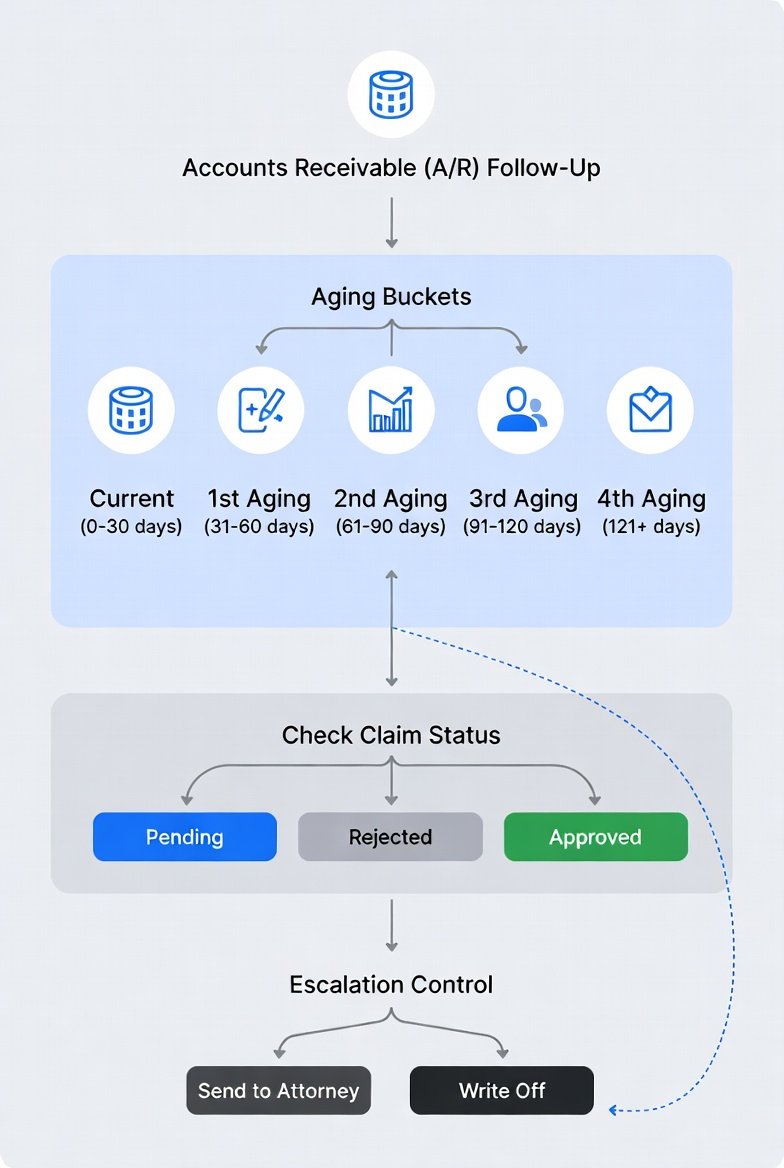
A report that groups receivables by how long they’ve been outstanding:
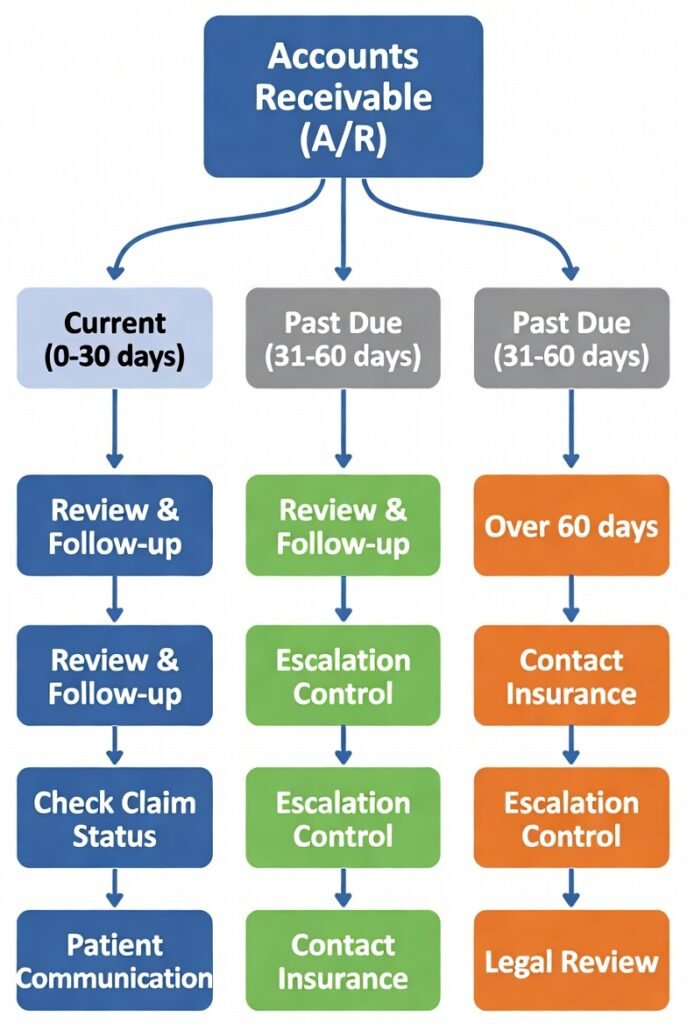
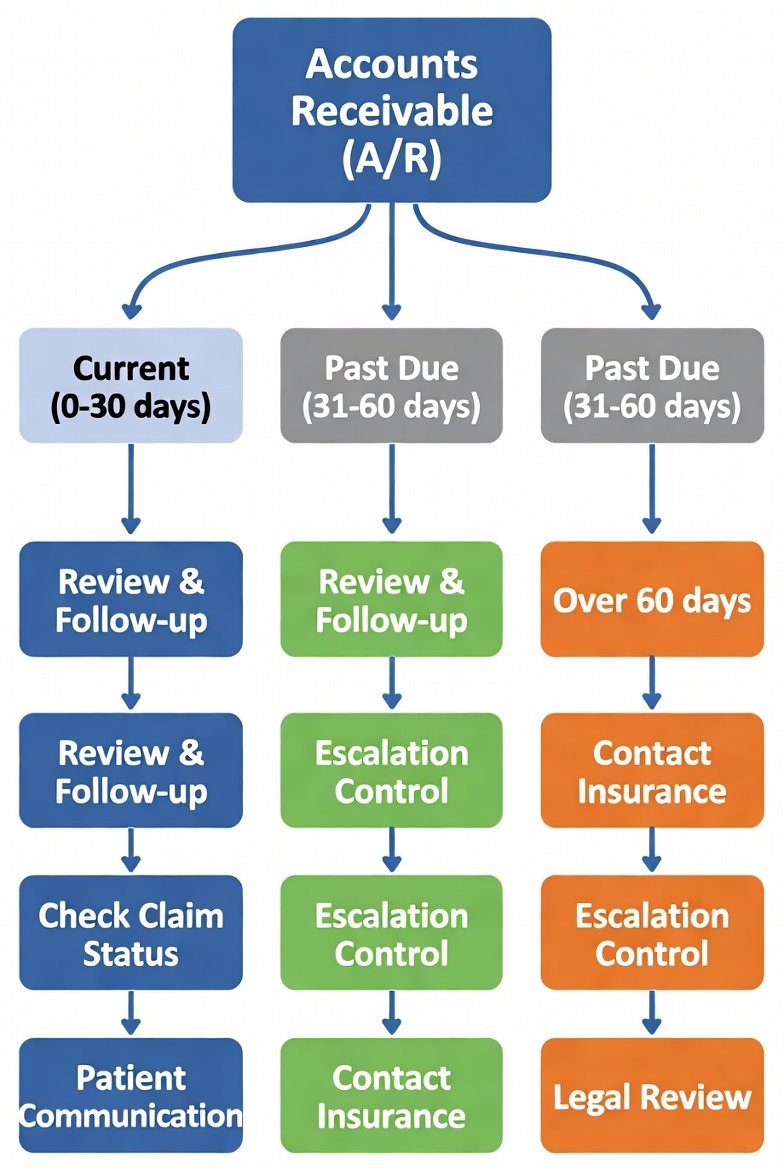
- 0–30 days
- 31–60 days
- 61–90 days
- 90+ days
Important: aging shows time, not action.
A/R Follow-Up
The structured work of:
- checking claim status
- correcting errors
- responding to payer requests
- appealing denials
- escalating stalled claims
A/R follow-up is decision-making, not just calling.
A/R Days
A KPI estimating how many days of revenue are tied up in receivables. Calculations vary, so consistency matters more than the formula.
Simple translation:
A/R is inventory. Aging tells you how old it is. Follow-up is how you move it.
Why Most A/R Processes Fail
Most SERP pages stop at definitions. What they miss is execution failure:
- teams work entire aging lists instead of priority queues
- claims are followed up without checking status first
- denials sit inside general A/R until they’re too old
- escalation happens from frustration, not thresholds
- effort is measured by touches, not outcomes
The fix is not more follow-up.
The fix is better targeting.
How A/R Should Actually Be Run
Think of A/R as three lanes, not one bucket:
Lane | What’s In It | Goal |
Status delays | Claims received / in process | Wait intelligently |
Fixable problems | Denials, missing info | Correct fast |
Escalations | No movement | Force resolution |
When lanes blur, work explodes and cash stalls.
Step 1: Use the Aging Report to Prioritize (Not Panic)
Aging should guide focus—not trigger random calling.
How to Read Aging Correctly
Age Bucket | What It Usually Means | How to Work It |
0–30 days | Normal processing | Exceptions only |
31–60 days | Highest ROI | Primary follow-up zone |
61–90 days | Risk rising | Target high-dollar & fixable |
90+ days | Low recovery | Triage, don’t brute-force |
Rule: not all aging deserves equal effort.
Step 2: Build a Simple A/R Priority Order
Instead of alphabetical lists, use this order:
- High-dollar balances in 31–90
- Recent denials with clear correction paths
- Claims with “no movement” past your internal threshold
- Repeating payer issues you can batch
- Low-dollar 90+ (scheduled, limited blocks)
Key question: Can this claim still realistically be collected?
If yes → work it.
If no → document why and stop bleeding time.
Step 3: Use Claim Status Before Calling
A/R follow-up should not start with phone calls.
CAQH CORE rules exist specifically to reduce call-heavy status work.
What Status Results Tell You
Status Result | What It Means | Next Action |
Received / In process | Payer has it | Set next follow-up date |
Info needed | Action required | Route immediately |
Not found | Submission issue | Verify history |
Denied | Adjudicated | Move to denial lane |
Calls are escalation tools—not discovery tools.
Step 4: Separate Delays, Denials, and Underpayments
Most teams slow down because everything lives in “A/R.”
Problem Type | Correct Response |
Delay | Status check + next date |
Denial | Correct, resubmit, or appeal |
Variance review + decision |
Each problem needs a different workflow.
Step 5: Install Escalation Triggers (Before Frustration)
Escalation should be predictable.
Escalate when:
- no movement past your defined threshold
- conflicting payer responses
- documentation submitted but not acknowledged
- high-dollar claims nearing risk windows
Escalation path:
- re-verify identifiers
- re-check electronic status
- call with a specific question
- escalate via portal or rep
- log outcome + next step
Proof Block
CAQH CORE’s Claim Status (276/277) Infrastructure Rule defines real-time response expectations and availability targets for CORE-certified entities—supporting electronic status checks as the primary A/R follow-up tool, not phone calls.
Mini Scenario
Mistake: staff call on every aging claim without checking status or separating denials.
Impact: time wasted on in-process claims while fixable denials age out.
Fix: status first,\, denials routed immediately, escalation by thresholds.
Outcome: fewer calls, faster resolution, shrinking 61–90 and 90+ buckets.
Hidden Costs of Bad A/R Follow-Up
- repeated work with no progress
- patient statements based on wrong assumptions
- burnout from endless calls
- write-offs due to lost context
- leadership sees activity—not results
Measure resolved outcomes, not touches.
PASS / FAIL A/R Checklist
PASS if
- aging drives prioritized queues
- status checks happen before calls
- denials and underpayments have separate lanes
- escalation thresholds are defined
- A/R days is calculated consistently and trended
FAIL if
- everyone works the same aging list
- calls replace investigation
- denials age unnoticed
- no escalation rules exist
- A/R days is reported but ignored
By Organization Size
Small practice
One owner, daily queue, status-first discipline.
Large group
Payer-based queues, denial separation, weekly pattern review.
Hospital / IDN
Standard governance, escalation paths, resolution throughput tracking.
30-Day Improvement Plan
- Week 1: define aging meaning + escalation thresholds
- Week 2: separate status, denial, underpayment lanes
- Week 3: enforce priority rules
- Week 4: track resolved outcomes + A/R days trend
Limitations
Payer timelines vary. Escalation paths vary.
The discipline doesn’t:
prioritize what can move → use status → escalate intentionally.